← All tutorials · Rising Kingpin
Tutorial 4 of 4
Play with friends, save games and change the options in Rising Kingpin
Beginner 6 min
Set up a game for several people on one device, hand the device over between turns, save and load games or files, and adjust sound, voices and animation.
Rising Kingpin is played on one device. Up to four gangs take turns: people, computer gangs or a mix.
Several people on one device
In New game press Add a player and set Played by to Person. Every further person confirms their date of birth in the setup (18+ only); the dates are only checked, never stored. The first person already confirmed at the start.
When it is the next person's turn, a hand-over screen covers the game: Pass the device to …. The next player presses I'm … — start my turn. Your gang details stay hidden until then; the rival dossiers in the Rivals tab only show what is public for everybody (cash, heat, gang size, car, prison, businesses).

Somebody has to leave? Game → Players at the table… hands their gang to the computer (easy, normal or hard) and the game goes on. A person can also take over a computer gang — they confirm their date of birth first. At least one person always stays at the table.
How to win
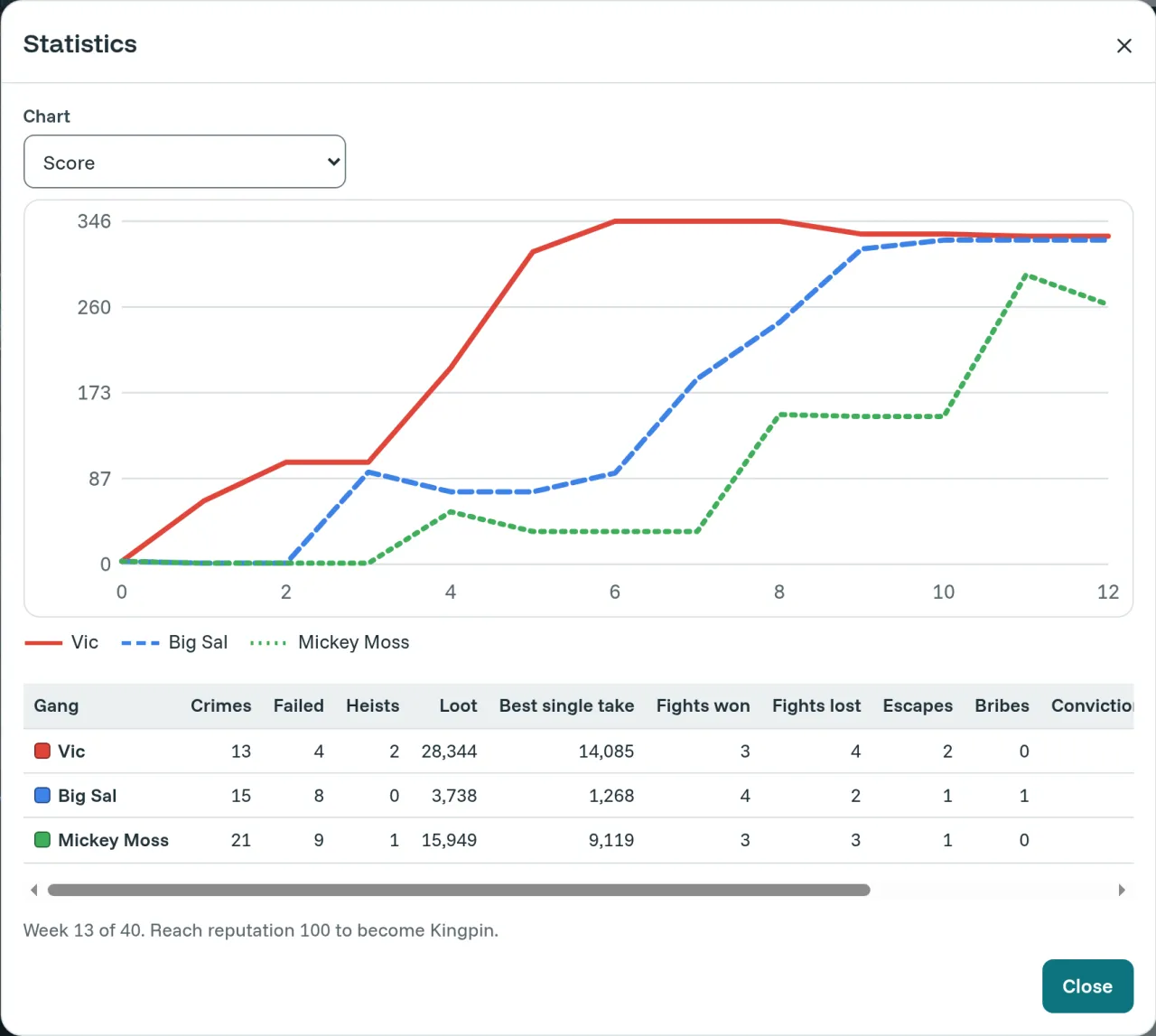
Choose the victory in the setup: Crime boss (first to the reputation target), Wealth (net worth target at the end of your turn), Last one free (a number of convictions puts a gang out) or Best score after a number of weeks. Every game ends at its week limit with the best score. The Rivals tab shows the standings; Game → Statistics draws the race week by week — score, net worth, reputation or cash per gang — and compares crimes, heists, loot, the best single take, fights, escapes, bribes and convictions. At the end the victory screen shows the same chart and can replay the key moments of the game.

Achievements and the hall of fame
Twenty-three achievements wait for you — your first job, a big score, a full crew, two businesses at once, escaping the police three times, the rank Kingpin, winning against a hard computer gang and more. A note pops up when a person at the table earns one; Game → Achievements (or Achievements on the title screen) lists them all with who unlocked them and when. The title screen also shows the Hall of fame: the best finished games in this browser. Both stay in this browser only.
Saving
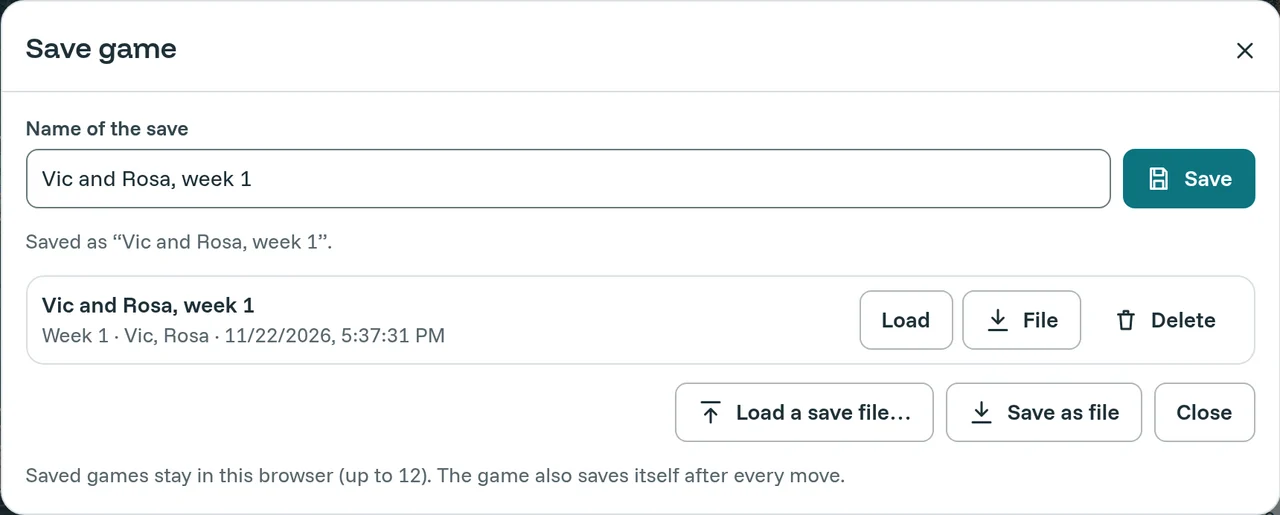
The game saves itself after every move; Continue on the title screen picks it up again. Game → Save game… makes named saves in this browser, Game → Save as file downloads a .risingkingpin.json file, and Load a save file… opens one again — on any device. A damaged or foreign file is refused with a list of the problems; nothing is half-loaded.
Options
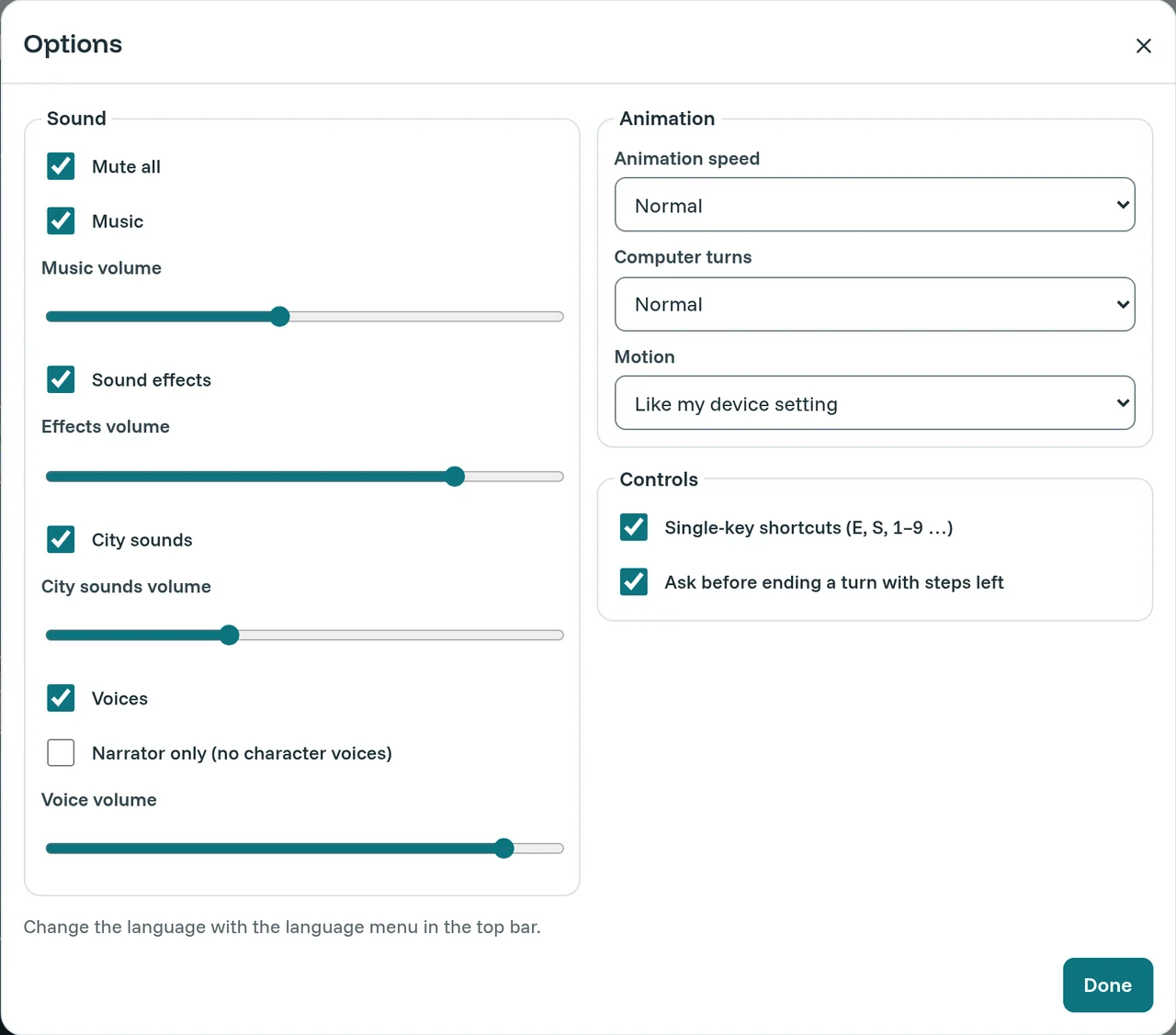
Game → Options… switches music, sound effects, city sounds and voices on or off (or Mute all), sets their volumes and offers Narrator only. The narrator speaks English and German recordings; in other languages your browser reads the line aloud. Animation speed, the speed of Computer turns and Motion (reduced motion) change how much moves on screen. Single-key shortcuts can be switched off; ? shows them all. Show tips for new players switches the tips in the Here tab on or off, and Show all tips again brings back the ones you put away. The language is changed with the language menu in the top bar.
Ready to try it?