← All tutorials · Rising Kingpin
Tutorial 1 of 4
Your first week in Rising Kingpin
Beginner 6 min
Confirm the 18+ check, start a game against two computer gangs, walk to your first place, read the odds card and pull off a first pickpocketing job.
Rising Kingpin is a turn-based crime strategy game for one to four players. You start as a small-time crook just out of prison and try to become the Kingpin of the city. Every crime shows its odds before you commit it, and the game saves itself in this browser after every move.
The age check
The game is about crime, gangs and weapons, so it is for adults. The first time you open it, choose your Day, Month and Year of birth and press I confirm I am 18 or older. Only the note that you passed the check is kept in this browser, not your date of birth. If you are younger than 18 the game stays closed for this browser session.
Start a game
On the title screen press New game. The setup lists the players: you and two computer gangs on the normal level. Give your boss a name and a gang name, pick a Character (Brains, Muscle, Shadow or Balanced), a colour and a portrait. Under How to win the default is Crime boss: the first gang to reach reputation 100 becomes Kingpin. Press Start the game.
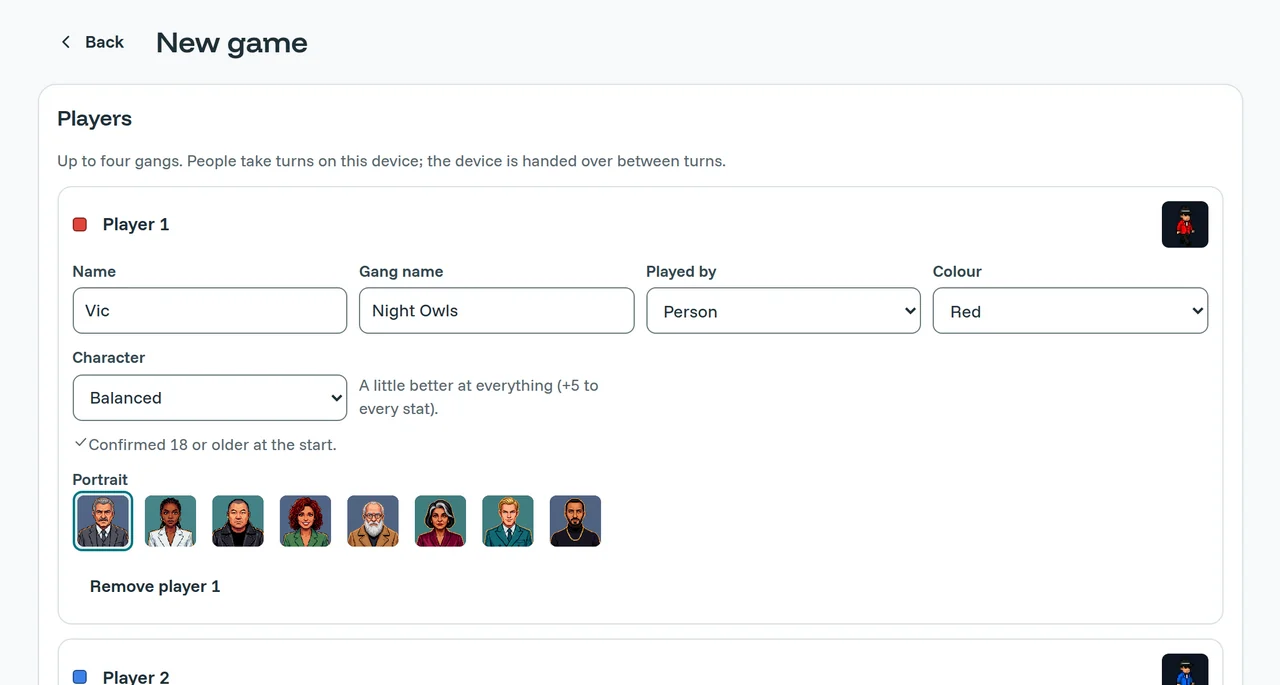
For a faster start use one of the Quick start games on the title screen, for example You against two rival gangs.
The city screen
The top bar shows whose turn it is, your Cash, the Steps you have left this week, your Heat (how wanted you are), your Reputation towards the next rank, the Week and your Goal: how far you are on the way to winning.
On the map every square is a place: banks, bars, the casino, the docks, villas, metro stations and more. Places you can reach this week have a yellow frame; your own place has a white and teal frame. Walking one block costs one step. Click a place to go there — or use the Travel tab, which lists every place sorted by distance with the steps it costs.
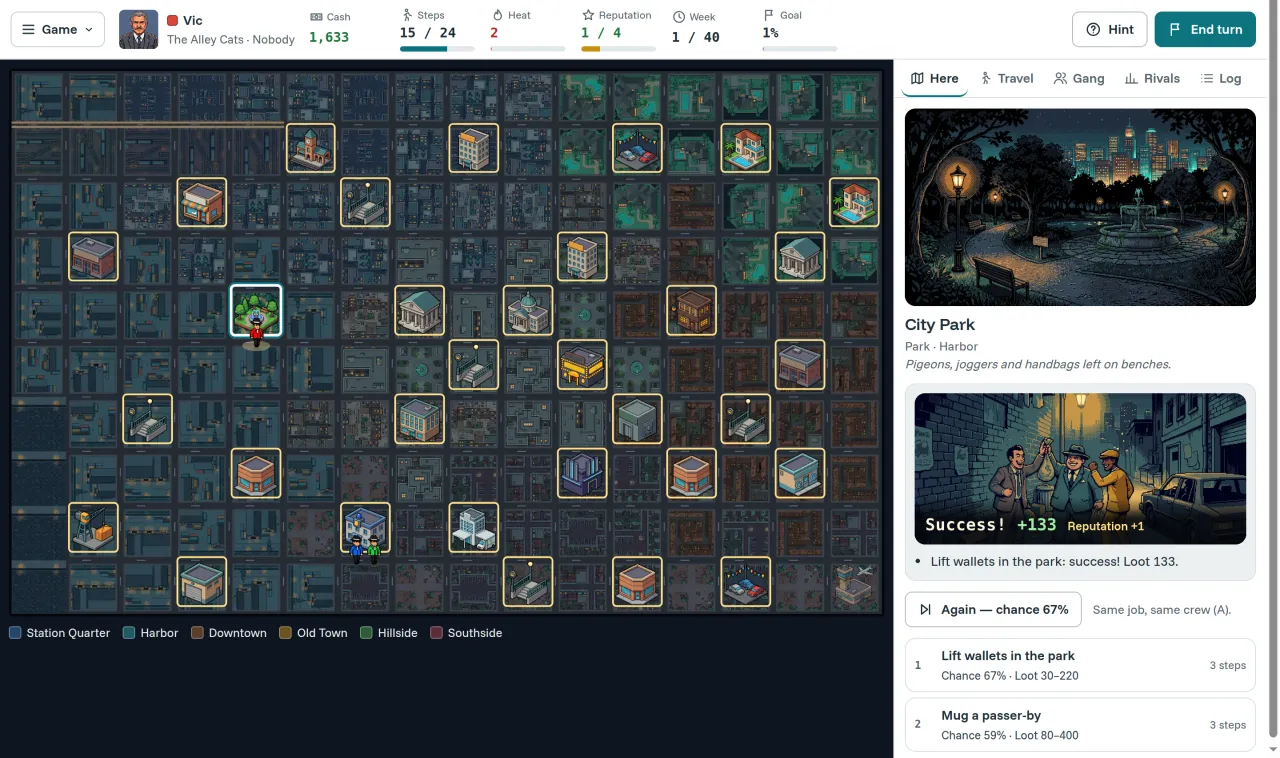
Everybody starts at Police Headquarters, just released. Your gang walks along the streets to the place you pick — or drives, once you have a car. When a gang's heat is high, a police car with flashing lights patrols the blocks around it. Under the place picture a short line tells you what the place is like.
Tips and hints
In your first weeks small tips appear in the Here tab when they matter — on your first turn, before your first crime, when your heat gets high or your steps run out. Press Got it to put one away, or No more tips to switch them all off (Options can switch them on again).
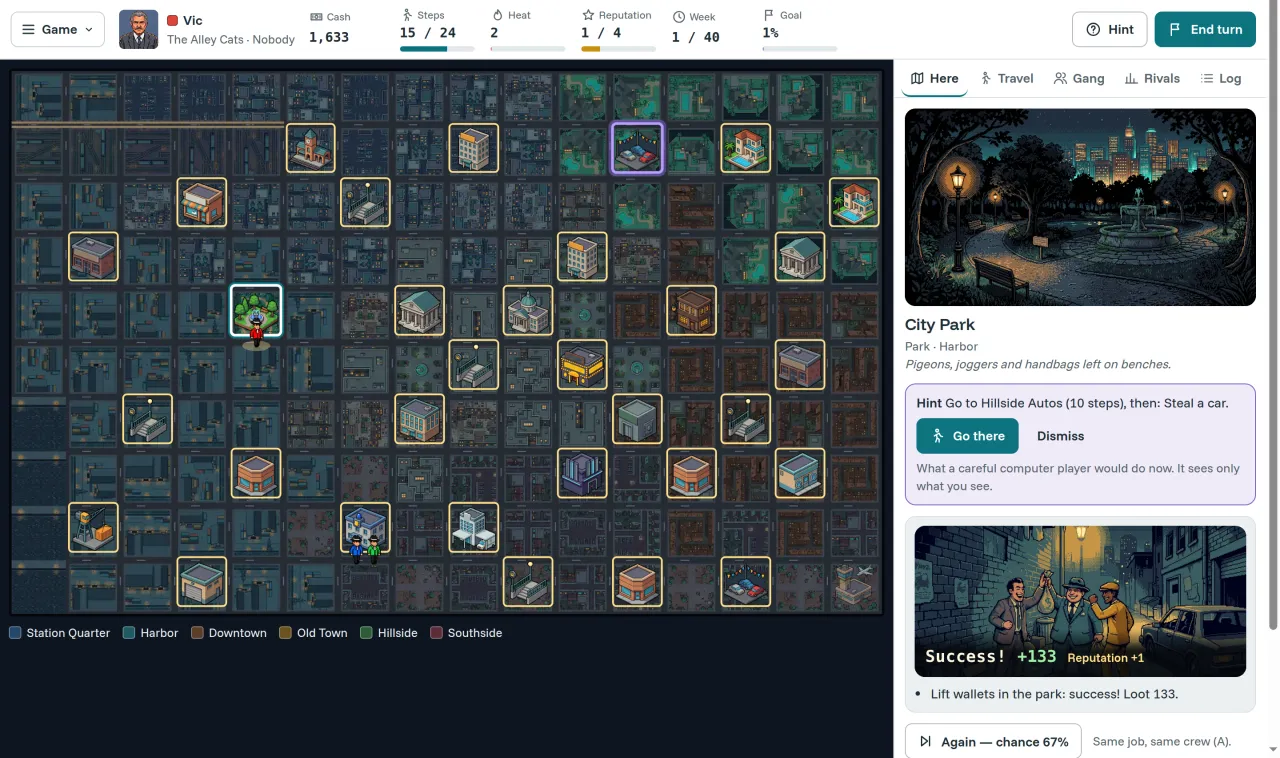
Not sure what to do? Press Hint (or the key H). The game asks the same planner the hard computer gangs use, but only with what you can see, and shows its idea: for example Go to Hillside Autos (10 steps), then: Steal a car. The place glows on the map. Go there walks you there, then the hint shows the job with Show the odds. You decide; the hint never acts on its own.
Your first crime
Walk to City Park (six blocks from the police). The Here tab now lists what you can do there: Lift wallets in the park and Mug a passer-by. Each row shows the chance, the loot and the steps.
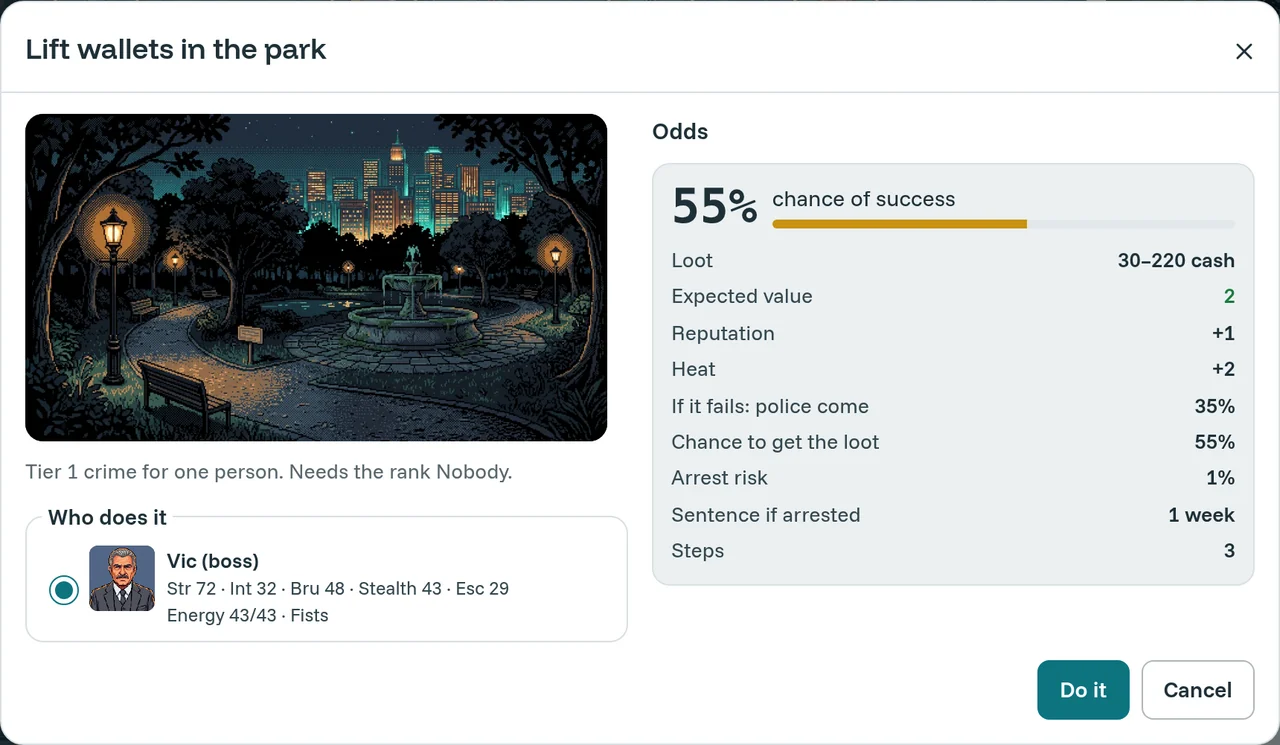
Press Lift wallets in the park. The dialog shows the odds card: the chance of success, the loot, the expected value, the heat it adds, what happens if it fails and the arrest risk. Press Do it. The result appears at the top of the Here tab, the cash counter counts up, and the turn log records it. To try the same job again with the same crew, press Again under the result (or the key A) — it shows the new chance on the button.
End your week
When you are out of steps or ideas press End turn (or the key E); on a phone the button is also at the bottom of the place list. The computer gangs play their turns on the map — press Skip to jump to the end of a computer turn. Then your next week begins with the week report: your income and costs, the standings with each gang's change last week (arrows show who moved up or down), and how many jobs the rivals pulled off — or whether they were arrested — since your last turn.
Ready to try it?